+233 54 123 9290
support@festman.io
English flag
English
Select a Language
English flag
English
GH₵
GHS
Select a Currency
Ghanaian cedi
GH₵
Euro Member Countries
Nigeria Naira
United States Dollar
$
0
Business Intelligence: Power Query for Excel

Business Intelligence: Power Query for Excel

(1)
66 Students
68 Lectures

About This Course

Thomas Festus Cudjoe
(21)
35 Courses
2238 Students
Festus is a Senior Data Analyst, Finance Professional, and Chartered Accountant (CIMA & ICAG) with 7+ years of experience in analytics and business intelligence. He specializes in Power BI, SQL, Python, financial modeling, and AI-driven analytics. At FestMan, he delivers practical, project-based training in Excel, Power BI, Python, SQL, and Applied AI for work. Festus is a Microsoft Certified Trainer, Power BI Certified Analyst, Microsoft Excel Expert, and a 4x Microsoft Data Platform MVP.

Recent Reviews

See what students are saying about the course.

More Reviews
ALI ESSONANI
ALI ESSONANI 27 Nov 2024
Curriculum Overview

This course includes 15 modules, 68 lessons, and 7:36 hours of materials.

Course Introduction
4 Parts | 0:03 Hours
Course Introduction

Course Introduction

Study Duration 1 Minutes
Attachments 0
Course Community

Course Community

Study Duration 1 Minutes
Attachments 0
Get started

Get started

Study Duration 1 Minutes
Attachments 0
Download the practice file

Download the practice file and follow along with the videos.

Volume 65.34 MB
Module 1
4 Parts | 0:07 Hours
Lesson 1: What is Power Query?

What is Power Query and what are its applications in Excel.

Study Duration 2 Minutes
Attachments 0
Lesson 2: Phases in Power Query

Phases in Power Query

Study Duration 3 Minutes
Attachments 0
Lesson 3: Why Power Query?

Why Power Query?

Study Duration 1 Minutes
Attachments 0
Lesson 4: Supported Excel versions for Power Query

Supported Excel versions for Power Query

Study Duration 1 Minutes
Attachments 0
Module 2
9 Parts | 0:48 Hours
Lesson 1: Introduction to Data Sources in Power Query

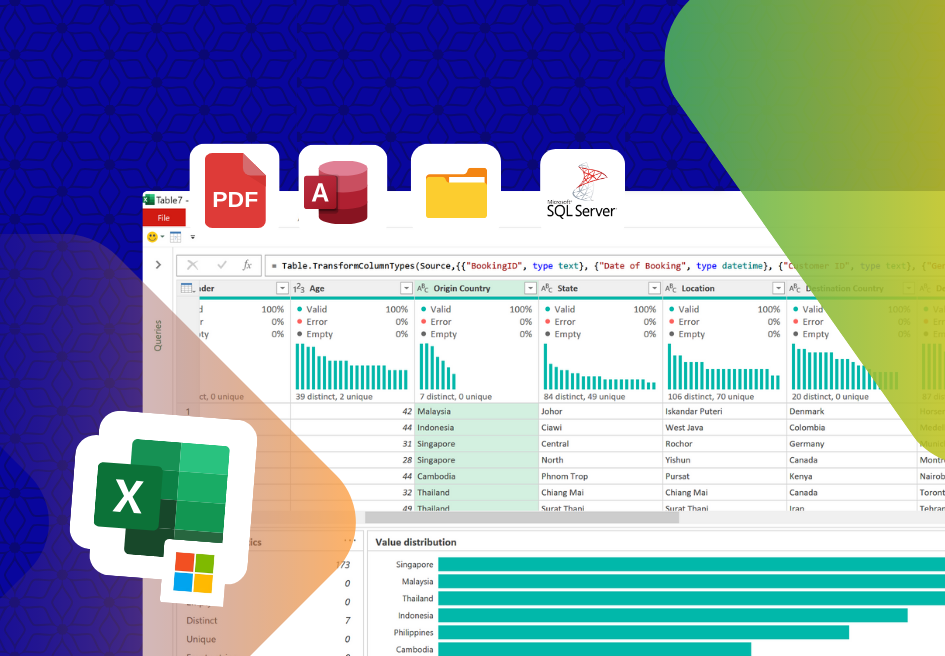
Common data sources supported within Power Query.

Study Duration 2 Minutes
Attachments 0
Lesson 2: Connecting to data from Current workbook

Import data from table or range

Study Duration 5 Minutes
Attachments 0
Lesson 3: Connecting to data from Excel Workbook

Connecting to data from Excel Workbook

Study Duration 7 Minutes
Attachments 0
Lesson 4: Connecting to Data From CSV or Text file

Connecting to Data From CSV or Text file

Study Duration 4 Minutes
Attachments 0
Lesson 5: Connect to Data from Databases: MS Access

Connect to Data from Databases: MS Access

Study Duration 5 Minutes
Attachments 0
Lesson 6: Connect to data from Database: SQL Server

Connect to data from Database: SQL Server

Study Duration 8 Minutes
Attachments 0
Lesson 7: Import data from PDF

Import data from PDF

Study Duration 3 Minutes
Attachments 0
Lesson 8: Import data from web

Import data from web

Study Duration 4 Minutes
Attachments 0
Lesson 9: Importing Data from folder

Importing Data from folder

Study Duration 10 Minutes
Attachments 0
Module 3
12 Parts | 1:37 Hours
Introduction to the Power Query editor

Introduction to the Power Query editor

Study Duration 14 Minutes
Attachments 0
Identify column headers

Identify column headers

Study Duration 6 Minutes
Attachments 0
Power Query Data types

Power Query Data types

Study Duration 13 Minutes
Attachments 0
Filter columns

Filter columns

Study Duration 15 Minutes
Attachments 0
Sorting columns

Sorting columns

Study Duration 5 Minutes
Attachments 0
Rearrange columns

Rearrange columns

Study Duration 4 Minutes
Attachments 0
Filling missing values

Filling missing values

Study Duration 9 Minutes
Attachments 0
Splitting columns

Splitting columns

Study Duration 8 Minutes
Attachments 0
Split data with delimiter

Split data with delimiter

Study Duration 4 Minutes
Attachments 0
Remove Rows

Remove Rows

Study Duration 7 Minutes
Attachments 0
Keep rows

Keep rows

Study Duration 7 Minutes
Attachments 0
Transpose columns

Transpose columns

Study Duration 5 Minutes
Attachments 0
Module 4
2 Parts | 0:16 Hours
Lesson 1: Load destinations

Load destinations

Study Duration 2 Minutes
Attachments 0
Lesson 2: Load destinations Demo

Load destinations Demo

Study Duration 14 Minutes
Attachments 0
Module 5
13 Parts | 1:16 Hours
Append queries

Append queries

Study Duration 11 Minutes
Attachments 0
Append queries with different column names

Append queries with different column names

Study Duration 12 Minutes
Attachments 0
Append multiple Excel files

Append multiple Excel files

Study Duration 9 Minutes
Attachments 0
Merging queries

Merging queries

Study Duration 15 Minutes
Attachments 0
Introduction to Join kinds

Introduction to Join kinds

Study Duration 2 Minutes
Attachments 0
Join kinds sample Dataset

Join kinds sample Dataset

Study Duration 1 Minutes
Attachments 0
Left Outer Join

Left Outer Join

Study Duration 2 Minutes
Attachments 0
Right outer join

Right outer join

Study Duration 2 Minutes
Attachments 0
Full outer

Full outer

Study Duration 2 Minutes
Attachments 0
Inner Join

Inner Join

Study Duration 1 Minutes
Attachments 0
Left Anti Join

Left Anti Join

Study Duration 1 Minutes
Attachments 0
Right anti join

Right anti join

Study Duration 1 Minutes
Attachments 0
Join Kinds demo

Join Kinds demo

Study Duration 17 Minutes
Attachments 0
Module 6
1 Parts | 0:12 Hours
Lesson 1: Grouping data with GROUP BY

Grouping data with GROUP BY

Study Duration 12 Minutes
Attachments 0
Module 7
3 Parts | 0:26 Hours
Lesson 1: Pivot rows

Pivot rows

Study Duration 7 Minutes
Attachments 0
Lesson 2: Pivot rows 2

Pivot rows 2

Study Duration 8 Minutes
Attachments 0
Lesson 3: Unpivot columns

Unpivot columns

Study Duration 11 Minutes
Attachments 0
Module 8
7 Parts | 1:05 Hours
Adding columns Introduction

Adding columns Introduction

Study Duration 2 Minutes
Attachments 0
Adding Conditional columns

Adding Condtional columns

Study Duration 10 Minutes
Attachments 0
Adding Columns from Examples

Adding Columns from Examples

Study Duration 8 Minutes
Attachments 0
Adding Columns from numbers

Adding Columns from numbers

Study Duration 15 Minutes
Attachments 0
Adding Columns from Dates

Adding Columns from Dates

Study Duration 7 Minutes
Attachments 0
Adding custom columns

Adding custom columns

Study Duration 12 Minutes
Attachments 0
Custom column: IF Statement

Custom column: IF Statement

Study Duration 11 Minutes
Attachments 0
Module 9
2 Parts | 0:16 Hours
Lesson 1: Introduction to data profiling

Introduction to data profiling

Study Duration 3 Minutes
Attachments 0
Lesson 2: Data profiling demo

Data profiling demo

Study Duration 13 Minutes
Attachments 0
Module 10
2 Parts | 0:09 Hours
Lesson 1: Copying queries

Copying queries

Study Duration 2 Minutes
Attachments 0
Lesson 2: Duplicte vs reference

Duplicte vs reference

Study Duration 7 Minutes
Attachments 0
Module 11
5 Parts | 0:31 Hours
Lesson 1: Introduction to errors in Power Query

Introduction to errors in Power Query

Study Duration 4 Minutes
Attachments 0
Lesson 2: Data Source error

Data Source error

Study Duration 10 Minutes
Attachments 0
Lesson 3: Column not found error

Column not found

Study Duration 5 Minutes
Attachments 0
Lesson 4: Cell Level errors

Cell level errors

Study Duration 8 Minutes
Attachments 0
Lesson 5: Handling errors with If otherwise

Handling errors with If otherwise

Study Duration 4 Minutes
Attachments 0
Projects
2 Parts | 0:33 Hours
Project 1

Project 1

Study Duration 21 Minutes
Attachments 0
Project 2

Project 2

Study Duration 12 Minutes
Attachments 0
Course conclusion
1 Parts | 0:01 Hours
Course conclusion

Course conclusion

Study Duration 1 Minutes
Attachments 0
Applications(Optional)
1 Parts | 0:16 Hours
Import financial statements into Excel
Free

Do not copy and paste financial results into Excel. Learn how to use Power Query to import and transform the financial statements.

Study Duration 16 Minutes
Attachments 0
Certificates
1 Parts
Course Certificate
Course Certificate
If you pass all the lessons in this course, you will receive this certificate.
Type Course Certificate
Reply to Comment
Comments Approval

Your comment will be visible after admin approval.

5.00
1 Reviews
Content Quality (5)
Instructor Skills (5)
Value for Money (5)
Support Quality (5)
ALI ESSONANI
ALI ESSONANI
27 Nov 2024 09:19 pm
Reply to Review
Submit Reply

Your reply to this review will be visible to all users.

Business Intelligence: Power Query for Excel
GH₵299
Enroll with Pro Account

This Course Includes

Downloadable Content
Official Certificate
Instructor Support
Course Forum

Course Specifications

Sections
15
Lessons
68
Capacity
Unlimited
Duration
4:00 Hours
Students
66
Created Date
18 Dec 2023
Updated Date
5 Jun 2025
Thomas Festus Cudjoe

Founder & Lead Instructor

(21)
Microsoft Certified Trainer
Microsoft Certified Excel Expert
Microsoft Certified Power BI Analyst
Google Certified Data Analyst
Microsoft Office Specialist: Excel 2013
Microsoft MVP
10 courses launched
Microsoft Certified Excel Expert

Send Course as Gift

Send as a gift to friends
Business Intelligence: Power Query for Excel
You are viewing
Business Intelligence: Power Query for Excel